
Voluum is the ad tracker we have used on our own native campaigns since 2020. It sits between Taboola, Outbrain or MGID and your landing pages, records every click with the data the network passes, and sends conversions back to the network so its algorithm can optimize. This guide shows how we set it up on the three networks, which parameters and postbacks to use, and how to turn the data into decisions.
Key takeaways
- Voluum ships ready-made templates for Taboola, Outbrain and MGID with the click ID and the right tracking tokens already filled in.
- The most important part is the postback: without it the network optimizes blind. Taboola and Outbrain receive conversions through a server-to-server URL, MGID through its 1-Click integration with Voluum.
- Send soft events too (add to cart, checkout, advertorial click), not only the purchase. They help the algorithm learn when sales are still few.
- The full API integration adds cost sync and lets you pause sites, sections or creatives from inside Voluum.
- Track by site, widget and creative, then block what spends without converting.
Why native campaigns need a tracker
On native you rarely send traffic straight to a product page. The click goes to an advertorial or a listicle, then to the offer, and you test several pages at the same time. The network's own pixel sees part of this; a tracker sees all of it, on every network, with the same rules. With Voluum we can:
- Rotate landing pages inside one campaign and see which one converts, without touching the ads.
- Compare networks on one dashboard with the same conversion definitions.
- Break results down by site, widget, section and creative, using the tokens the network passes on the click.
- Send conversions back by server, which keeps working when browsers block third-party cookies.
- Track affiliate offers, where you can't place a pixel on the advertiser's checkout and the network reports the sale to the tracker.
How Voluum works in five pieces
| Piece | What it is |
|---|---|
| Traffic source | The network (Taboola, Outbrain, MGID). It defines which tokens arrive with each click and where conversions are sent back. |
| Campaign | Generates the tracking URL you paste into the network and decides where the click goes. |
| Lander | Your advertorial, listicle or presell. You can rotate several in one campaign. |
| Offer | The product page or the affiliate offer. Voluum appends its click ID to this URL. |
| Postbacks | Two directions: the offer or network tells Voluum about a sale using the click ID, then Voluum tells the traffic source using the network's own click ID. |
Everything hangs on the two click IDs. Voluum's ID travels to the offer (for example ?s2={clickid} on an affiliate network) and comes back in the conversion postback as cid. The network's ID (click_id on Taboola and MGID, ob_click_id on Outbrain) is stored on the visit and used to fire the conversion back to the network.
Taboola: setup step by step
- Add the traffic source from the Taboola template. It passes
click_id={click_id}and tracks seven variables:site,site_id,title,platform,campaign_id,campaign_item_idandthumbnail. - Create the conversion rules in Taboola first. For a server-to-server setup each rule is event based, and its event name is what the postback must send: for example
purchase,add_to_cart,checkout. - Set the postback in the traffic source. The template URL is
https://trc.taboola.com/actions-handler/log/3/s2s-action?click-id={externalid}&name=REPLACE_EVENT_NAME&revenue={payout}¤cy=USD&partner-name=Voluum. ReplaceREPLACE_EVENT_NAMEwith the event name of your purchase rule. - Add one postback per event if you send soft events. Voluum's "Traffic source postback URL per event type" maps each custom conversion to its own URL, so add to cart fires
name=add_to_cartand so on. The feature is not on every Voluum plan. - Create the campaign in Voluum and paste the campaign URL with its tokens as the destination URL of your Taboola ads.
- Test before launch: click the ad preview, trigger each event and check that it shows up in Voluum and in Taboola's conversion report.
The site and site_id variables are what you use to block placements. Taboola's own reporting shows sites too, but with Voluum you see them next to the conversions of every lander and offer. More on Taboola itself in what is Taboola.
Outbrain: setup step by step
- Add the traffic source from the Outbrain (Teads) template. The click ID is
ob_click_id={{ob_click_id}}. It also tracks campaign, publisher ID and name, ad ID and title, section ID and name, request ID, promoted link ID and timestamp. Note the double braces: Outbrain tokens use{{…}}. - Create the conversions in Outbrain and note their names.
- Set the postback. The template URL is
https://tr.outbrain.com/unifiedPixel?ob_click_id={externalid}&name=REPLACE. ReplaceREPLACEwith the name of your Outbrain conversion, and add one URL per event if you send soft events. - Choose how the click reaches the page. Voluum's Outbrain template has direct tracking enabled: the landing page URL in Outbrain stays clean, the tracking parameters go in Outbrain's Tracking field, and Voluum's direct tracking script runs on your page.
On our Outbrain accounts we don't install the Outbrain pixel on the funnel: conversions arrive only through the Voluum postback, so there is one source of truth. We also keep the secondary conversions sent to Outbrain to two at most, so the algorithm isn't spread across too many signals. For the network itself, see what is Outbrain.
MGID: setup step by step
- Add the traffic source from the MGID template. It passes
click_id={click_id}, the cost of each click asclick_price={click_price}, and five variables:teaser_id,campaign_id,widget_id,category_idandgeo. - Costs come in automatically through the
click_pricetoken, which the Taboola and Outbrain templates don't have. - Send conversions with the 1-Click integration. In MGID's conversion tracking settings choose Native integration, pick Voluum and enter a Voluum access key ID and access key (created under Settings, Security). MGID then pulls conversions from the Voluum campaign you select, without a postback URL to maintain.
- Use
widget_idto block widgets that spend without results, andteaser_idto compare creatives.
More on the network in what is MGID.
Which conversions to send back
In Voluum you create custom conversions and the offer or your site reports each one with the et parameter in the postback. On our e-commerce and affiliate funnels the usual set is:
| Event | Where it fires | Why we track it |
|---|---|---|
| Advertorial click | Click on the button of the advertorial or listicle | Shows which presell moves readers to the offer, long before sales arrive |
| Product page view | Landing on the product page | Separates a weak presell from a weak product page |
| Add to cart | Add to cart on the shop | A frequent soft event the network can optimize on in the first days |
| Checkout | Checkout started, or the order form on cash-on-delivery offers | Closest signal to a sale |
| Purchase | Order confirmed, or the sale reported by the affiliate network | The number the campaign is judged on |
Send the network the purchase plus one or two soft events, not all of them: which one depends on how many purchases the campaign gets per day. When purchases are rare, optimizing on add to cart or checkout gets the algorithm out of the learning phase faster.
Full integration: costs and control from Voluum
The templates track clicks and conversions. Voluum's full API integration, set up in the Automizer module, adds:
- Cost sync from the network, which replaces any cost you set by hand in the campaign.
- Status of campaigns and creatives.
- Pause and resume of campaigns, sites and creatives from Voluum's reports.
- Bid changes, including a bid factor per site on Taboola.
- Rules that act on these on their own.
On Taboola you need a client ID and client secret, which you request from Taboola support and which can take several days to arrive, and the same campaign URL under all creatives. On Outbrain, Voluum recommends matching each campaign by hand. On MGID the full integration is what syncs costs and enables rules; the 1-Click integration only handles conversions.
Reading the data
- Block placements on cost, not on clicks. Group the campaign report by site (Taboola), section (Outbrain) or widget (MGID) and block what has spent well beyond your target CPA without converting. We use about 1.5x the target CPA as the line.
- Judge landers on the soft events first, then on sales once there is enough volume.
- Expect gaps with the network's numbers. Different attribution windows, time zones, blocked scripts and bots mean Voluum and Taboola will never match exactly. A steady gap is normal; a sudden jump means something broke. Our article on Taboola bot traffic shows how to spot the bad part.
- Use the creative variables (
titleandthumbnailon Taboola,ad_titleon Outbrain,teaser_idon MGID) to find the angles that convert, not only the ones that get clicks.
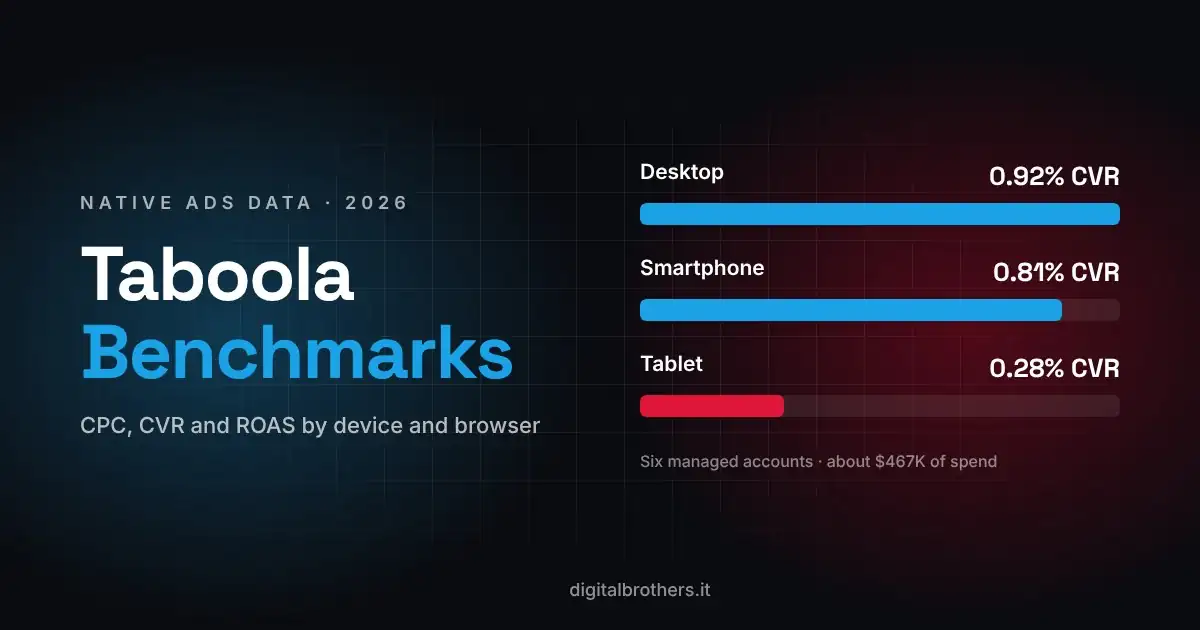
For reference numbers on CPC and conversion rate by device and browser, see our Taboola benchmarks.
Common mistakes
- The event name in the postback doesn't match the network's conversion rule, so conversions are sent but never counted.
- Wrong token syntax: single braces on Outbrain, or
{clickid}where the network expects its own click ID. - The offer doesn't receive Voluum's click ID, so the network can't report the sale.
- Two sources of truth: a network pixel and a postback both counting the same purchase.
- No test before launch. One full test click, with every event fired, saves days of wrong data.
Trying Voluum
Plans and prices are on Voluum's pricing page. Disclosure: this is a referral link. If you sign up through it, we may earn a commission from Voluum at no extra cost to you. We only recommend tools we use on our own campaigns.
Frequently asked questions
What is Voluum?
A cloud ad tracker for media buyers. It records clicks from traffic sources, routes them to landers and offers, records conversions by postback or pixel, and sends conversions back to the traffic source.
Does Voluum work with Taboola, Outbrain and MGID?
Yes. All three have ready-made traffic source templates in Voluum and a full API integration for costs and campaign control.
Do I still need the Taboola pixel if I use Voluum?
Not for conversions, if the postback is set up: Taboola receives them server to server. Some advertisers keep the pixel for audiences and retargeting; just make sure the same purchase isn't counted twice.
How does Voluum get cost data from Taboola and Outbrain?
Through the full API integration. MGID also passes the cost per click in the click_price token.
Why don't Voluum and Taboola show the same numbers?
Attribution windows, time zones, blocked scripts and bot clicks all differ. Compare trends rather than single days, and investigate only sudden changes in the gap.
Want us to set up tracking and run your native campaigns?
We are an official Taboola, Outbrain and MGID partner. We build the funnel, the tracking and the campaigns, and we optimize every day. See how our native advertising agency works or book a free strategy call.

Claudio Dell'Ariccia
Co-founder & Media Buyer
Claudio Dell'Ariccia is co-founder of Digital Brothers. He runs native ad campaigns on Taboola, Outbrain and MGID every day for e-commerce, lead gen and affiliate brands worldwide.
About Digital Brothers →