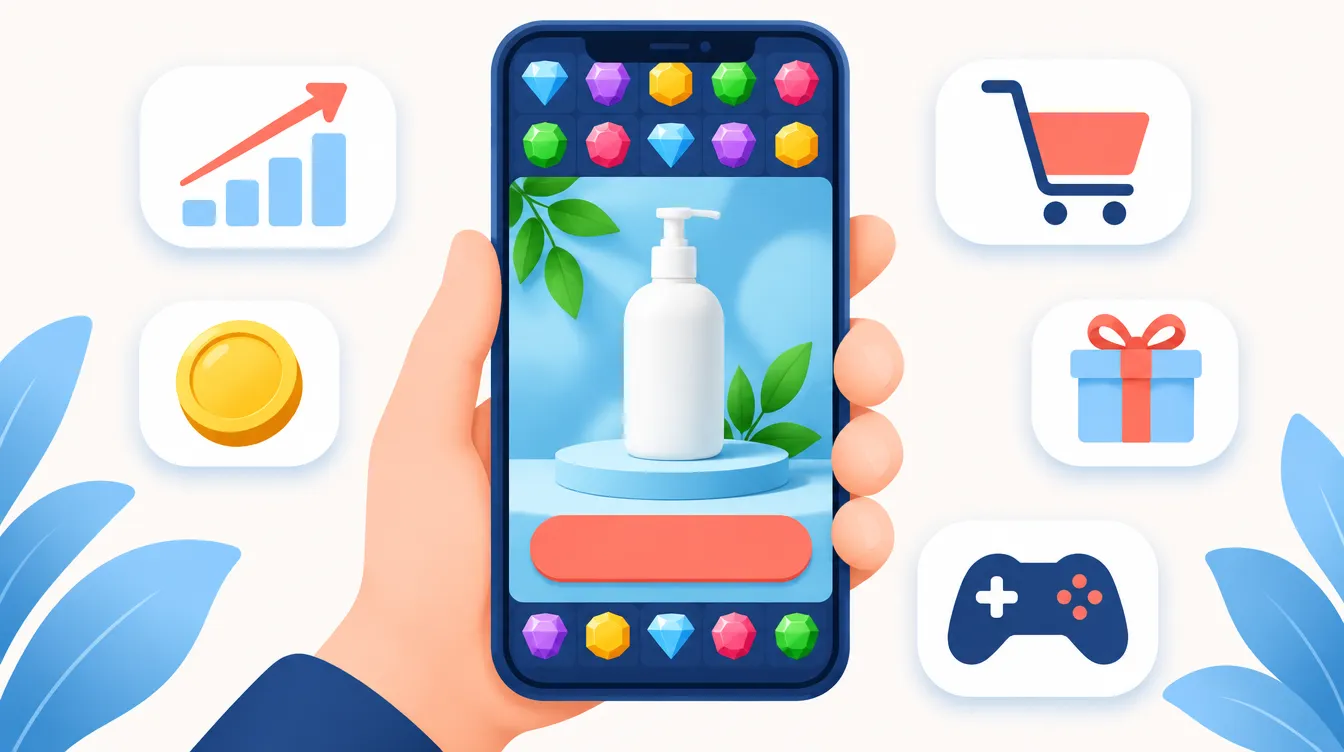
AppLovin Ads is the self-serve ad platform that puts your brand inside mobile games: full-screen video ads that more than a billion people see every day, according to AppLovin. Since June 2026 it is open to every advertiser, not only to brands with a referral code. This guide explains how AppLovin Ads works for e-commerce, how to set it up step by step, what it costs to start, where it runs (Western Europe is not supported yet) and how it compares with Meta and native ads.
Want to try it on your store? Create your AppLovin Ads account.
Key takeaways
- AppLovin Ads shows full-screen video and interactive ads inside mobile games. Users can skip after five seconds; in rewarded placements they watch for at least 35 seconds.
- You optimize for ROAS, cost per purchase (CPP) or cost per lead (CPL), with a same-day (D0) or 7-day (D7) window.
- Setup is short: account, AppLovin pixel (Shopify app or Google Tag Manager), catalog and creative sets with at least one video plus one interactive or image.
- Web campaigns cannot target Western Europe yet. For an Italian or European brand it is a channel for export markets such as the US.
- It works best for brands that already sell profitably on Meta and can produce 30-second-plus videos in volume.
What AppLovin Ads is
AppLovin is best known as the company behind the ad technology that monetizes thousands of mobile games. Its recommendation engine is called Axon. For years only app developers could buy those placements. In October 2025 AppLovin opened a self-serve ads manager to e-commerce brands, on a referral-only basis. In June 2026 it removed the referral requirement and renamed the product AppLovin Ads: today any business can sign up.
The inventory is different from every other channel a DTC brand uses. Your ad does not appear in a social feed or next to a news article. It appears between levels of a game, or when a player chooses to watch a video in exchange for a reward such as an extra life.
Who sees AppLovin ads
AppLovin commissioned Kantar to survey 2,500 US adults who play mobile games (fieldwork in January 2026). The main findings, as published by AppLovin and Kantar:
- 70% play every day; 71% shop online at least once a week and 77% spend $100 or more a month online.
- 38% bought a product after seeing an ad in a mobile game; among those buyers, 71% bought on the same day.
- For 37% of buyers the ad introduced a product they had not considered before.
- 92% were satisfied with the purchase and 86% plan to buy again.
Keep in mind that AppLovin paid for the study and that it covers US players only. Its practical message matches the official guidance: most purchases happen on the day of the click.
How AppLovin Ads works
Each ad is a sequence: a vertical video, then an "interactive" (the end card with your offer and call-to-action button). AppLovin's own guidance says the video becomes skippable after at least five seconds, while rewarded placements guarantee at least 35 seconds of attention. That is why AppLovin recommends videos of 30 seconds or more, with subtitles: much longer than a typical Meta ad.
You do not choose audiences by interest. You give the algorithm a goal, a target and creative, and it decides who sees the ad. According to AppLovin, a user sees about eight different creatives before converting, so variety matters more than a single winning ad.
Optimization goals
| Goal | What it optimizes | Best for |
|---|---|---|
| ROAS | Revenue relative to ad spend (a 2x target is entered as 200%) | Multi-product stores |
| CPP (cost per purchase) | Cost per transaction against a dollar target | Single-product brands, subscriptions, CAC-focused brands |
| CPL (cost per lead) | Cost per lead against a target | Lead generation and digital services |
You also pick the conversion window. D0 counts purchases made the same day as the click: AppLovin recommends it for most brands, because most purchases it drives happen on the same day. D7 counts purchases within seven days and suits high-ticket products with a longer decision, such as furniture or mattresses.
Audience strategies
- Universal: all purchases, new and returning customers.
- Prospecting: only new customers and their revenue.
- Discovery: only users who have never visited your site.
Prospecting and Discovery need the Shopify integration or an upload of your full purchase history in the Events Manager, so AppLovin can tell new buyers from existing ones.
Where AppLovin Ads runs: no Western Europe (yet)
AppLovin's campaign guide asks advertisers to target every region they ship to, "outside of Western Europe (not supported at this time)", and to group several countries in one campaign. In practice:
- A US, Canadian or Australian store can use it as its main new channel after Meta.
- An Italian, German or French brand cannot use it to sell at home today. It can use it to open export markets, for example the US, with a store, checkout and customer service set up for that market.
How to set up AppLovin Ads, step by step
- Create the account. Sign up with email and password, verify the email and fill in the Business Info screen: goal ("Purchases on my website" or "Leads on my website"), full legal company name and the website you will promote. Apps and websites need separate accounts. Sign up here.
- Expect a website review. AppLovin reviews the site during onboarding. If it is rejected for a possible policy issue you get a notification and can appeal.
- Install the AppLovin pixel. On Shopify, install the official AppLovin app: it sets up the pixel, syncs the catalog and tracks purchases. Without Shopify, install it through Google Tag Manager. Check it with the AppLovin Pixel Helper Chrome extension.
- Check the events. In the Events Manager, every required event should appear without errors. Connect the Conversion API for a stronger optimization signal.
- Sync the catalog. Sync products in the Catalogs Manager and turn on Dynamic Catalog in the campaign: AppLovin says it usually lifts conversion metrics.
- Add brand assets. Logo, brand name, description and the CTA text. Set the CTA in the brand settings, not inside the image.
- Build creative sets. Each set needs at least one video and at least one interactive or image, up to ten of each type. Group sets by audience, offer or product. AppLovin also generates free creatives automatically when you finish sign-up: useful for a first test, not a replacement for your own videos.
- Launch the campaign. Choose the goal (ROAS, CPP or CPL), a realistic target, the D0 or D7 window, broad geos and the budget.
How much budget you need to start
AppLovin does not publish a minimum budget. Its advice is to start with enough budget to generate at least a handful of purchases per day at your usual CPA. As a reference it suggests the budget that buys about ten purchases a day on your social channels. With a $40 CPA that means roughly $400 a day.
Two practical rules from how algorithmic platforms learn:
- Do not set the ROAS or CPP target too aggressively at launch. A target that is too tight limits delivery before the algorithm has data. Start from what your best channel achieves.
- Give each change time to settle before judging it. Media buyers who run AppLovin report that adding or restructuring campaigns can make results unstable for several days.
Creatives that fit AppLovin
- Length: 30 seconds or more, vertical. The first five seconds must give a reason not to skip.
- Sound off: large subtitles, product visible on screen, a clear demonstration.
- Interactive (end card): repeat the offer and the benefit, with the CTA. A still frame from your best video is a fast way to test a new one.
- Volume: since users see several ads before buying, plan a steady flow of new videos and end cards, not one hero ad.
Approval: what AppLovin looks at
The official requirement is simple: a business account, a website that passes the onboarding review and AppLovin's ad policies. Media buyers who run AppLovin also report that the review looks at signals of a real brand. These are their reports, not official rules:
- visible customer service, contact details and a clear return policy;
- a reputation you can check, such as reviews and active social profiles;
- landing pages on the same domain as the pixel and the checkout;
- stricter checks for health and wellness products and for claims that cannot be verified.
If your funnel uses an advertorial or a listicle before the product page, keep it on your own domain and keep claims conservative.
AppLovin Ads vs Meta vs native ads
| AppLovin Ads | Meta Ads | Native ads (Taboola, Outbrain, MGID) | |
|---|---|---|---|
| Where the ad appears | Inside mobile games | Facebook and Instagram feeds, Stories, Reels | Recommendation widgets on publisher sites |
| Main format | Full-screen video + interactive end card | Image, video, carousel | Thumbnail + headline |
| User mindset | Playing, often watching for a reward | Scrolling social content | Reading articles |
| Typical landing page | Product page or catalog | Any | Advertorial or listicle, then product page |
| Targeting | Goal-based, algorithm decides | Algorithm with optional audiences | Geo, device, publisher and contextual controls |
| Western Europe | Not supported for web campaigns | Yes | Yes |
The three channels reach people in different moments, so they work best together. If you are new to the open web, start from our guide to native advertising.
Who AppLovin Ads is for
Good fit:
- DTC brands on Shopify that ship to the US or other supported markets;
- brands already profitable on Meta that want a second scalable channel;
- teams that can produce 30-second-plus videos and test new end cards every week;
- lead generation businesses that can put a value on a lead.
Not a fit (for now):
- brands that sell only in Italy or in Western Europe;
- brands without video creative or without the budget for several purchases a day;
- regulated health offers that cannot pass a strict review.
Frequently asked questions
Do you still need a referral code to advertise on AppLovin?
No. Since June 2026 any business can sign up for AppLovin Ads. Referral links like ours still work, but they are no longer required.
Can I run AppLovin Ads in Italy or Europe?
Not in Western Europe for now: AppLovin lists it as not supported for web campaigns. A European brand can use AppLovin to sell in supported markets such as the US.
What is the minimum budget on AppLovin Ads?
There is no published minimum. AppLovin suggests a budget large enough for at least a handful of purchases a day at your usual CPA, using about ten purchases a day as a good starting point.
Does AppLovin Ads work with Shopify?
Yes. The official AppLovin app on the Shopify App Store installs the pixel, syncs the catalog and tracks purchases. Other platforms can use Google Tag Manager.
Can I use AppLovin Ads for lead generation?
Yes. Choose the CPL goal and connect the Conversion API so the algorithm receives reliable lead signals.
How is AppLovin Ads different from Meta?
Meta shows ads in social feeds and lets you add audiences. AppLovin shows full-screen video ads inside mobile games and decides delivery from your goal and target. Its videos are longer and it does not support Western Europe for web campaigns yet.
Want help launching on AppLovin?
We run native and Meta campaigns for DTC and lead generation brands, and we are part of the AppLovin Partner Program. If you sell in the US or other supported markets and want to add AppLovin to your mix, book a call and we will check fit, tracking and creative needs before you spend. Prefer to start on your own? Open an AppLovin Ads account.
Sources: AppLovin, "AppLovin Ads is now open"; AppLovin, Setting up a campaign; AppLovin Support, Launch checklist; AppLovin Support, Creating an account; AppLovin Support, Our audience; PPC Land on the Kantar study; Modern Retail, October 2025.

Roberto Dell'Ariccia
Co-founder, Strategy & Media Buying
Roberto Dell'Ariccia is co-founder of Digital Brothers. He leads strategy and media buying and helps DTC brands scale beyond Meta with native ads on Taboola, Outbrain and MGID.
About Digital Brothers →